
To find how many weeks until a future date, subtract today’s date from your target date to get the total number of days remaining, then divide by 7. For example, if your event is 98 days away, that equals exactly 14 weeks. Enter your target year, month, and day below and the calculator will instantly show weeks, days, and months remaining.
How Many Weeks Until Calculator – Days & Months Too
Instantly find the number of weeks, days, and months remaining until any future date by entering your target date and today's date.
What This Weeks Countdown Calculator Computes
This calculator finds the exact number of weeks, days, and months standing between any two calendar dates. Enter a target date — a wedding, exam, vacation, project deadline, or any milestone — along with today’s date, and you instantly receive six results: total days remaining, complete weeks, leftover days after full weeks, approximate months, decimal weeks, and the percentage of a Gregorian year the countdown represents.
It is useful for anyone who needs a quick, reliable week countdown without doing manual calendar math. Planners, students, parents tracking pregnancy milestones, and project managers all benefit from seeing time expressed in multiple units at once. Results are close estimates based on mean Gregorian calendar lengths and may differ from exact calendar arithmetic by plus or minus one to two days near month boundaries.
How to Calculate how many weeks until calculator Results
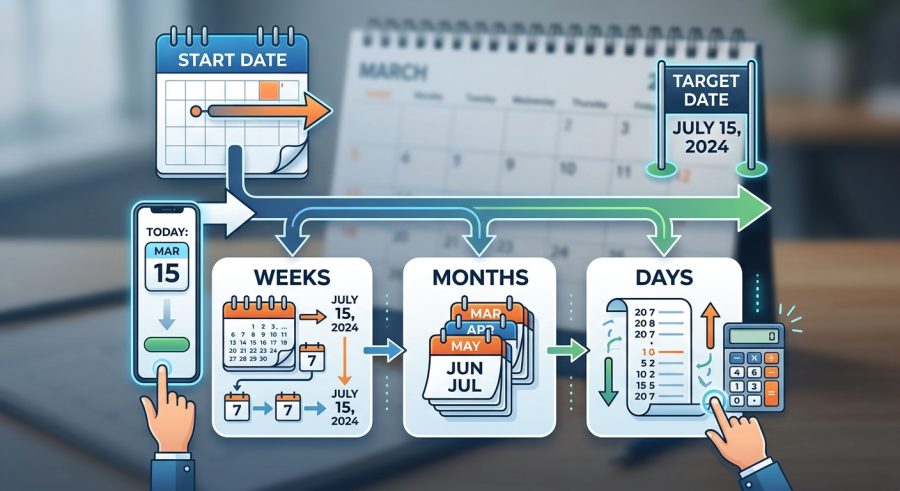
- Enter your target date. Type the year, month (1–12), and day (1–31) of the event or deadline you are counting down to.
- Confirm your current date. The current year, month, and day fields are pre-filled. Adjust them only if you want to calculate from a different starting point.
- Read your results. The calculator instantly shows total days remaining, complete weeks, leftover days, approximate months, decimal weeks, and the percentage of a year remaining.
- Use the breakdown for planning. Combine the complete weeks and remaining days results for precise phrasing, such as “14 weeks and 3 days until your event.”
- Recalculate anytime. Update any field to compare different dates or track how your countdown changes over time.
Understanding Each Date Field You Enter
Target Year — The four-digit year your event falls in. Accepted range is 2024 through 2100. Enter the full year, such as 2026.
Target Month (1–12) — The month number of your target date. January is 1, December is 12. Do not use month names or abbreviations.
Target Day (1–31) — The day of the month for your target date. If your month has fewer than 31 days and you enter 31, the result will carry a small approximation error of roughly one day.
Current Year, Current Month, Current Day — These three fields define your starting point. They are pre-filled with a reference date. Update them to match today’s actual date for an accurate countdown, or set them to any past or future date if you want to measure the gap between two arbitrary dates.
How the Weeks and Days Formulas Work
All formulas use two Gregorian calendar constants: the mean year length of 365.2425 days and the mean month length of 30.436875 days (365.2425 divided by 12). These averages account for leap years across the full 400-year Gregorian cycle without requiring exact leap-year logic for each individual year.
Total Days Remaining
D = floor( (target_year – today_year) * 365.2425 + (target_month – today_month) * 30.436875 + (target_day – today_day) )
Where D is the total calendar days between the two dates. A positive D means the target is in the future; a negative D means it is in the past.
Complete Weeks Remaining
W = floor( max(D, 0) / 7 )
Divides total days by 7 and floors to the nearest whole number, giving only complete 7-day periods.
Remaining Days After Full Weeks
R = floor( max(D, 0) % 7 )
The modulo operation returns the leftover days that do not fill a complete week. Combined with W, this gives the most precise human-readable phrasing.
Approximate Months Remaining
M = max( (target_year – today_year) * 12 + (target_month – today_month) + (target_day – today_day) / 30.436875, 0 )
Converts the gap into fractional months. Useful for medium-range planning where weeks feel too granular.
Weeks as a Decimal
Wd = max(D, 0) / 7
The unrounded decimal form of the week count, helpful for scheduling tools that accept fractional weeks.
Percentage of a Year Remaining
P = min( max( D / 365.2425 * 100, 0 ), 100 )
Expresses the countdown as a share of one full Gregorian year, capped between 0% and 100%.
Worked Countdown Examples with Full Calculations
Example 1 — Christmas Day from July 1
Given: Today = July 1, 2025 (2025-07-01); Target = December 25, 2025 (2025-12-25)
D = (2025 – 2025) * 365.2425 + (12 – 7) * 30.436875 + (25 – 1) = 0 + 152.184375 + 24 = 176.18 → floor = 176 days
Complete weeks = floor(176 / 7) = floor(25.14) = 25 weeks
Remaining days = 176 mod 7 = 176 – (25 * 7) = 176 – 175 = 1 day
Months = (0 * 12) + (12 – 7) + (24 / 30.436875) = 5 + 0.789 = 5.8 months (estimate)
Decimal weeks = 176.18 / 7 = 25.17 weeks
% of year = 176.18 / 365.2425 * 100 = 48.2%
Example 2 — New Year’s Day from July 1
Given: Today = July 1, 2025; Target = January 1, 2026
D = (2026 – 2025) * 365.2425 + (1 – 7) * 30.436875 + (1 – 1) = 365.2425 – 182.62125 + 0 = 182.62 → floor = 182 days
Complete weeks = floor(182 / 7) = 26 weeks
Remaining days = 182 mod 7 = 0 → 0 days
Months = 6.0 months (estimate)
Decimal weeks = 26.09 weeks
% of year = 50.0%
Example 3 — A Birthday 18 Months Away
Given: Today = January 15, 2025; Target = July 15, 2026
D = (2026 – 2025) * 365.2425 + (7 – 1) * 30.436875 + (15 – 15) = 365.2425 + 182.62125 + 0 = 547.86 → floor = 547 days
Complete weeks = floor(547 / 7) = floor(78.14) = 78 weeks
Remaining days = 547 – (78 * 7) = 547 – 546 = 1 day
Months = (1 * 12) + (7 – 1) + 0 = 18.0 months (estimate)
Decimal weeks = 78.27 weeks
% of year = capped at 100% (more than one year away)
Example 4 — A Project Deadline in 3 Weeks
Given: Today = March 3, 2025; Target = March 24, 2025
D = 0 + 0 + (24 – 3) = 21 days
Complete weeks = floor(21 / 7) = 3 weeks
Remaining days = 21 mod 7 = 0 days
Months = 21 / 30.436875 = 0.7 months (estimate)
Decimal weeks = 3.00 weeks
% of year = 21 / 365.2425 * 100 = 5.7%
Example 5 — Pregnancy Due Date Check
Given: Today = February 1, 2025; Target = November 8, 2025 (estimated due date)
D = 0 + (11 – 2) * 30.436875 + (8 – 1) = 273.93 + 7 = 280.93 → floor = 280 days
Complete weeks = floor(280 / 7) = 40 weeks
Remaining days = 280 mod 7 = 0 days
Months = 9.2 months (estimate)
Decimal weeks = 40.13 weeks
% of year = 76.7%
This aligns with the standard 40-week full-term pregnancy count. For detailed pregnancy tracking, see our pregnancy due date calculator.
Quick Reference: Days, Weeks, and Months Equivalents
| Total Days | Complete Weeks | Leftover Days | Approx. Months | % of a Year |
|---|---|---|---|---|
| 7 | 1 | 0 | 0.2 | 1.9% |
| 14 | 2 | 0 | 0.5 | 3.8% |
| 30 | 4 | 2 | 1.0 | 8.2% |
| 60 | 8 | 4 | 2.0 | 16.4% |
| 90 | 12 | 6 | 3.0 | 24.6% |
| 180 | 25 | 5 | 5.9 | 49.3% |
| 270 | 38 | 4 | 8.9 | 73.9% |
| 365 | 52 | 1 | 12.0 | 99.9% |
| 730 | 104 | 2 | 24.0 | 100% (capped) |
Reading and Applying Your Six Countdown Results
Total Days Remaining is the foundation of every other result. A positive number means your target is in the future. A negative number means the date has already passed — the other results will show zero because they are floored at 0.
Complete Weeks Remaining tells you how many full 7-day periods stand between now and your event. This is the most commonly needed figure for countdowns, scheduling, and planning conversations.
Remaining Days After Full Weeks gives the leftover days that do not fill another complete week. Pair it with complete weeks for precise phrasing: for example, “12 weeks and 4 days.”
Approximate Months Remaining is rounded to one decimal place and uses the mean month length of 30.436875 days. It is most useful for medium-range planning where weeks feel too granular, such as budgeting or booking travel.
Weeks as a Decimal is the unrounded week count to two decimal places. Use this when feeding the result into a spreadsheet, project management tool, or any system that accepts fractional weeks.
Percentage of a Year Remaining shows how large your countdown is relative to one full year. It is capped at 100% for countdowns longer than 365.2425 days and floored at 0% for past dates. This result is most useful for annual goal-setting and progress tracking.
What Affects the Accuracy of Your Countdown
Leap years. The calculator uses the mean Gregorian year of 365.2425 days rather than checking each individual year for a February 29. For dates within four years of today, the error is less than one day. The calculator approximates this factor rather than eliminating it entirely.
Month length variation. Calendar months range from 28 to 31 days, but the formula uses the mean of 30.436875 days. Dates near the end of short months (February, April, June, September, November) may show a result that is off by one day compared to exact calendar arithmetic.
Starting date accuracy. The single biggest factor you control is entering the correct current date. An error of even one day shifts every result by one day and changes the complete-weeks count whenever the error crosses a 7-day boundary.
Target date validity. Entering day 31 for a month with only 30 days, or day 29 through 31 for February, introduces a small error. The calculator does not validate month-day combinations, so double-check that your target date actually exists on the calendar.
Time of day. The calculator treats all dates as whole calendar days and ignores the hour. If your event is at 8 a.m. and you calculate at 11 p.m. the night before, the result will show one day remaining rather than a fraction of a day.
Common Input Errors and How to Avoid Them
- Leaving the current date at the default. The current year, month, and day fields are pre-filled with a reference date. Always update them to today’s actual date before reading your results.
- Entering the month as a name instead of a number. The field expects a number from 1 to 12. Type 3 for March, not the word March.
- Entering an invalid day for the target month. February never has 30 or 31 days, and April, June, September, and November have only 30. Entering 31 for those months adds roughly one day of error.
- Confusing complete weeks with decimal weeks. Complete weeks is always a whole number showing full 7-day periods. Decimal weeks includes the fractional part. Use complete weeks plus remaining days for human-readable countdowns.
- Expecting the result to update automatically each day. The calculator does not have a live clock. You must re-enter today’s date each time you visit to get a fresh countdown.
- Using a past target date and expecting a countdown. If your target date is earlier than your current date, total days will be negative and all other results will show zero. Swap the dates or correct the year if you see unexpected zeros.
- Treating the months result as exact calendar months. The months figure uses a mean month length and is an approximation. For exact month counts, count calendar months manually or use a dedicated date difference calculator.
Calculator Boundaries and Important Assumptions
This calculator uses mean Gregorian calendar constants (365.2425 days per year, 30.436875 days per month) rather than exact calendar arithmetic. Results may differ from a precise day-count tool by plus or minus one to two days, particularly for dates near the end of short months or spanning a February in a leap year.
The calculator does not account for time zones, daylight saving time, or the specific hour of day. All dates are treated as whole calendar days.
Month-day combinations are not validated. Entering an impossible date such as February 30 will produce a result, but that result will carry a small error.
The Percentage of a Year result is capped at 100% for countdowns longer than one year and at 0% for past dates. It does not represent a percentage of progress toward a multi-year goal.
This tool is designed for general planning purposes. It is not a substitute for medical date calculations (such as gestational age), legal deadline calculations, or any situation where a one-day error has significant consequences. For those uses, verify results with a qualified professional or an exact calendar tool.
Plan Smarter with a Clear Week Countdown
This calculator turns any future date into an instant, multi-unit countdown — weeks, days, months, and more — without manual calendar math. Enter your target date and today’s date, read your results, and use the breakdown that fits your planning style. Remember that results are close estimates based on mean Gregorian calendar lengths; verify with an exact calendar tool when a one-day difference matters.
