
This shift start time calculator tells you exactly when you need to clock in by working backward from your shift end time. Enter your end time, total shift length in hours, and any unpaid break minutes, and the tool instantly returns your required start time in both 12-hour and 24-hour format. It is useful for employees, managers, and schedulers who know when a shift must finish but need to pin down the opening clock-in time.
Shift Start Time Calculator: Find When Your Shift Begins
Calculate your shift start time by working backward from your required end time, total shift length, and break duration.
What This Shift Start Time Calculator Does
The shift start time calculator solves a common scheduling problem: you know when a shift must end, how long it runs, and how much break time is built in, but you need to work backward to find the exact clock-in moment. It is useful for employees setting alarms, managers building rosters, and HR teams auditing timesheets.
The tool converts your end time to a 24-hour decimal, subtracts the full shift window (including breaks), and returns the start hour and minute. Results are estimates based on the values you enter. They do not account for rounding rules in your employment contract, overtime thresholds, or local labor regulations.
How to Enter Your Shift Details
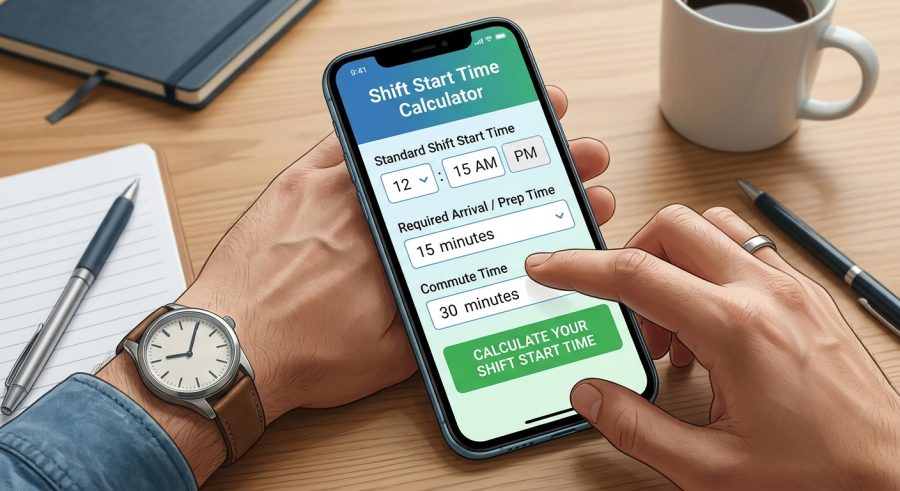
- Enter your shift end time. Type the hour and minute your shift is scheduled to finish, then choose AM or PM.
- Set your shift length. Use the slider or type the total number of hours the shift covers, including any breaks.
- Add your break time. Enter the total unpaid break minutes (lunch, rest, etc.) that fall within the shift window.
- Read your start time. The calculator displays the required clock-in time in both 12-hour and 24-hour formats, plus your net paid hours.
Understanding Each Input Field and Unit
Shift End Hour (1–12): The hour portion of your shift’s finish time in standard 12-hour format. Enter a whole number from 1 to 12.
Shift End Minute (0–59): The minute portion of your finish time. Use 0 if the shift ends exactly on the hour.
Shift End AM/PM: Select AM if your shift ends before noon or exactly at midnight, and PM if it ends from noon onward. This selection is critical — choosing the wrong period shifts your result by 12 hours.
Total Shift Length (1–16 hrs): The full scheduled duration of the shift from clock-in to clock-out, including any breaks. Use the slider in 0.5-hour increments. For example, a shift that runs from start to finish over 8.5 hours uses 8.5 here even if 30 of those minutes are an unpaid lunch.
Unpaid Break Time (0–120 min): The total minutes of unpaid breaks scheduled within the shift. Common values are 30 minutes (half-hour lunch) or 60 minutes (full lunch). Paid breaks should not be entered here because they are already covered by the shift length and do not reduce net pay.
The Math Behind Working Backward to a Start Time
The calculator converts your 12-hour end time to a 24-hour decimal value, subtracts the total shift window, and wraps the result around midnight when necessary.
Step 1 — Convert end time to 24-hour decimal:
End time (decimal) = End Hour + (12 × AM/PM flag) − (12 if End Hour = 12) + End Minute ÷ 60
The AM/PM flag equals 0 for AM and 1 for PM. The correction for 12 AM and 12 PM keeps noon and midnight in the right position on the 24-hour clock.
Step 2 — Subtract the full shift window:
Start time (decimal) = End time (decimal) − Shift Hours − (Break Minutes ÷ 60)
Break minutes are converted to hours and subtracted alongside the shift length because the break falls inside the shift window.
Step 3 — Wrap around midnight:
Start time (adjusted) = (Start time (decimal) + 24) mod 24
Adding 24 before applying the modulo prevents negative values when the calculated start time falls before midnight of the previous day.
Step 4 — Extract hours and minutes:
Start Hour = floor(Start time (adjusted))
Start Minute = floor((Start time (adjusted) − Start Hour) × 60)
Net Paid Hours: Net Paid Hours = Shift Hours − (Break Minutes ÷ 60)
This is the portion of the shift for which an employee is typically compensated when breaks are unpaid.
Worked Examples: Five Real Scheduling Scenarios
Example 1 — Standard 8-hour day shift with a 30-minute lunch
Given: End time 5:00 PM, Shift Length 8.5 hrs, Break 30 min
End decimal = 5 + 12 − 0 + 0 ÷ 60 = 17.00
Start decimal = 17.00 − 8.5 − 0.5 = 8.00
Adjusted = (8.00 + 24) mod 24 = 8.00 → 8:00 AM
Net paid hours = 8.5 − 0.5 = 8.00 hrs
Example 2 — 10-hour shift ending at 6:30 PM, no break
Given: End time 6:30 PM, Shift Length 10 hrs, Break 0 min
End decimal = 6 + 12 + 30 ÷ 60 = 18.50
Start decimal = 18.50 − 10 − 0 = 8.50
Adjusted = 8.50 → Start Hour 8, Start Minute floor(0.50 × 60) = 30 → 8:30 AM
Net paid hours = 10.00 hrs
Example 3 — Overnight shift ending at 7:00 AM, 12-hour shift, 60-minute break
Given: End time 7:00 AM, Shift Length 12 hrs, Break 60 min
End decimal = 7 + 0 − 0 + 0 = 7.00
Start decimal = 7.00 − 12 − 1 = −6.00
Adjusted = (−6 + 24) mod 24 = 18.00 → 6:00 PM (previous day)
Net paid hours = 12 − 1 = 11.00 hrs
Example 4 — Part-time 4-hour shift ending at 1:00 PM, no break
Given: End time 1:00 PM, Shift Length 4 hrs, Break 0 min
End decimal = 1 + 12 + 0 = 13.00
Start decimal = 13.00 − 4 − 0 = 9.00 → 9:00 AM
Net paid hours = 4.00 hrs
Example 5 — Split-schedule retail shift ending at 9:45 PM, 6.5 hrs, 15-minute break
Given: End time 9:45 PM, Shift Length 6.5 hrs, Break 15 min
End decimal = 9 + 12 + 45 ÷ 60 = 21.75
Start decimal = 21.75 − 6.5 − 0.25 = 15.00 → 3:00 PM
Net paid hours = 6.5 − 0.25 = 6.25 hrs
Common Shift Patterns and Their Start Times
| Shift Pattern | Shift Length | Unpaid Break | End Time | Required Start Time | Net Paid Hrs |
|---|---|---|---|---|---|
| Standard day | 8.5 hrs | 30 min | 5:00 PM | 8:00 AM | 8.00 |
| Early morning | 8.5 hrs | 30 min | 2:00 PM | 5:00 AM | 8.00 |
| Afternoon/evening | 8.5 hrs | 30 min | 11:00 PM | 2:00 PM | 8.00 |
| Night shift | 8.5 hrs | 30 min | 7:00 AM | 10:00 PM (prev. day) | 8.00 |
| 10-hour shift | 10.5 hrs | 30 min | 6:00 PM | 7:30 AM | 10.00 |
| 12-hour shift | 12.5 hrs | 30 min | 7:00 AM | 6:30 PM (prev. day) | 12.00 |
| Part-time 4 hrs | 4 hrs | 0 min | 1:00 PM | 9:00 AM | 4.00 |
| Part-time 6 hrs | 6.5 hrs | 30 min | 3:00 PM | 8:30 AM | 6.00 |
Reading and Applying Your Calculated Start Time
Start Time (24-hour decimal): This is the raw decimal representation of your clock-in time measured from midnight. For example, 8.50 means 8 hours and 30 minutes after midnight, or 8:30 AM. Use this value to verify the hour and minute results.
Start Hour and Start Minute: These two results together give your readable clock-in time. Combine them — for instance, Start Hour 14 and Start Minute 30 means you need to clock in at 14:30, which is 2:30 PM.
Net Paid Hours: This is your compensable time after subtracting unpaid breaks from the total shift window. It is the figure most relevant to paycheck calculations. If your employer rounds to the nearest quarter-hour, round this result accordingly.
Total Shift Window: This confirms the full duration you entered, including breaks. It is useful as a sanity check — if it does not match your schedule, revisit the shift length field.
If your calculated start time falls before midnight, the tool wraps correctly and the result represents a time on the previous calendar day. This is normal for overnight shifts. For more detail on overnight scheduling, see our overnight shift hours and pay calculator.
What Affects Your Required Clock-In Time
Shift end time accuracy: The single biggest driver of your start time result. An error of even 15 minutes in the end time moves the start time by the same amount. Double-check AM vs. PM.
Total shift length: Whether your employer counts the shift window from first clock-in to last clock-out (including breaks) or only counts productive time affects which number you enter here. Most standard schedules include breaks in the window.
Unpaid vs. paid breaks: Only unpaid breaks reduce net paid hours. Paid rest breaks (common in many states) are already part of compensable time and should not be entered in the break field. Entering paid breaks as unpaid will undercount your net hours.
Rounding policies: Many employers round clock-in and clock-out times to the nearest 5, 6, or 15 minutes. The calculator returns an exact mathematical result; apply your workplace rounding rule afterward.
Overtime thresholds: The calculator does not flag overtime. If your net paid hours exceed 8 in a day or 40 in a week, overtime rules may apply depending on your jurisdiction and contract. The calculator does not account for this.
Mistakes That Produce the Wrong Start Time
- Selecting the wrong AM/PM period: Choosing PM instead of AM (or vice versa) shifts every result by 12 hours. Always confirm whether your shift ends before or after noon.
- Entering productive hours instead of the full shift window: If your shift runs from 9 AM to 5:30 PM, the shift length is 8.5 hours — not 8 hours. Enter the full clock-in-to-clock-out span.
- Including paid breaks in the break field: Paid rest periods are compensable time. Only enter breaks that are genuinely unpaid. Mixing them up understates net paid hours.
- Forgetting that overnight results are the previous day: A start time of 22:00 (10 PM) when your shift ends at 6 AM means you clock in the night before, not the same morning.
- Using 0 for 12 AM or 12 PM: Midnight is 12 AM and noon is 12 PM. The calculator uses 12 as the hour value for both — the AM/PM selector distinguishes them. Do not enter 0 in the hour field.
- Ignoring employer rounding rules: The calculator gives an exact mathematical start time. If your employer rounds to the nearest quarter-hour, you may need to clock in a few minutes earlier than the result shows.
- Entering break time in hours instead of minutes: The break field expects minutes. A 1-hour lunch is 60, not 1.
What This Calculator Cannot Do
This calculator performs arithmetic time subtraction based solely on the values you enter. It does not connect to any scheduling system, payroll platform, or employment database.
It does not account for: daylight saving time transitions, split shifts with multiple break periods of different types, flexible or variable shift lengths, overtime pay rates, shift differentials, or minimum rest period requirements between shifts.
Results assume a standard continuous shift. If your schedule involves staggered start times, rotating shifts, or on-call periods, the simple backward calculation may not reflect your actual required clock-in time.
Labor laws governing minimum break lengths, maximum shift durations, and mandatory rest periods vary by country, state, industry, and employment contract. This tool provides a planning estimate only. For compliance questions, consult your HR department or a qualified employment law professional.
For shifts that are exactly 8 hours long, you may also find our 8-hour shift calculator useful for cross-checking end times from a known start.
Overnight Shifts: When Your Start Time Is Yesterday
When the calculated start time decimal is negative before the modulo correction, your shift begins on the previous calendar day. For example, a 12-hour shift ending at 6:00 AM with a 30-minute break requires a start time of 5:30 PM the night before.
The calculator handles this automatically by adding 24 before applying the modulo operation. The result is always a valid time between 0:00 and 23:59. However, the calendar date of that start time is one day earlier than the end date. Keep this in mind when filling out timesheets or setting alarms.
If you regularly work overnight schedules and need to calculate total hours and pay across midnight, our overnight shift calculator is designed specifically for that scenario.
Converting Your Decimal Result to a Readable Clock Time
The primary result is expressed as a decimal hour from midnight. To read it as a clock time, separate the whole number (hours) and the decimal fraction (minutes).
Multiply the decimal fraction by 60 to get minutes. For example, a result of 6.75 means 6 hours and 0.75 × 60 = 45 minutes, so the start time is 6:45 AM. The calculator also displays the Start Hour and Start Minute as separate results to make this step automatic.
To convert to 12-hour format: if the Start Hour is 0, read it as 12 AM. Hours 1–11 are AM as-is. Hour 12 is 12 PM (noon). Hours 13–23 subtract 12 and add PM — so hour 14 is 2 PM.
Using Start Time Results for Alarm and Commute Planning
Once you know your required clock-in time, add your commute and preparation time to find when you actually need to wake up or leave home. For example, if your calculated start time is 7:00 AM and your commute takes 45 minutes, you need to leave by 6:15 AM.
Many workers also need to account for a pre-shift briefing, equipment check, or uniform change that happens before the official clock-in. Add those minutes to your commute buffer rather than changing the shift length in the calculator, since those activities may or may not be compensable depending on your employer’s policy.
Shift Start Time Questions Answered
Why does my start time show as a decimal instead of hours and minutes?
The primary result is a raw 24-hour decimal for precision. The Start Hour and Start Minute results convert it automatically. For example, a decimal of 7.50 equals 7 hours and 30 minutes, so your start time is 7:30 AM. Combine the two separate results to read your clock-in time directly.
How do I enter a shift that ends at exactly noon or midnight?
For noon, enter 12 in the end hour field and select PM. For midnight, enter 12 and select AM. The calculator applies a correction that keeps 12 PM at hour 12 and 12 AM at hour 0 on the 24-hour scale, so both cases are handled correctly without any extra steps from you.
Should I include paid rest breaks in the unpaid break field?
No. Only enter breaks that are genuinely unpaid. Paid rest periods — such as a 10-minute paid coffee break — are already part of your compensable shift time and should not be subtracted. Entering paid breaks as unpaid will make your net paid hours appear lower than they actually are.
My shift crosses midnight. Will the calculator give the right answer?
Yes. When the math produces a start time before midnight, the calculator wraps the result correctly using a modulo operation. A result of, say, 22:30 means 10:30 PM on the previous calendar day. The tool always returns a valid clock time; you just need to remember the start date is one day before the end date.
Can I use this calculator for a 10-hour or 12-hour shift?
Yes. The shift length slider goes up to 16 hours in 30-minute increments, covering 10-hour, 12-hour, and most other common shift lengths. Enter the full clock-in-to-clock-out window including breaks, then enter your unpaid break minutes separately. For 10-hour shift planning you can also check our 10-hour shift end time and pay estimator.
Does the calculator account for overtime or shift differentials?
No. The calculator performs time arithmetic only. It does not apply overtime multipliers, night-shift premiums, or any pay rate adjustments. It tells you when a shift starts based on when it ends and how long it runs. For pay calculations, use a dedicated payroll tool or consult your HR department.
What if my employer rounds clock-in times to the nearest 15 minutes?
The calculator returns the mathematically exact start time. If your workplace rounds to the nearest 5, 6, or 15 minutes, apply that rounding rule to the result yourself. For example, an exact start of 8:07 AM rounded to the nearest 15 minutes becomes 8:00 AM. Always check your employment agreement for the specific rounding policy.
How accurate is the calculated start time?
The result is mathematically exact given the inputs you provide. Accuracy depends entirely on entering the correct end time, shift length, and break duration. The calculator does not account for employer rounding rules, labor law minimums, or scheduling software conventions, so treat the output as a precise planning estimate rather than a guaranteed payroll figure.
Plan Every Shift With Confidence
Working backward from a shift end time is straightforward once you convert everything to a common unit, subtract the full shift window, and wrap the result around midnight when needed. Enter your end time, shift length, and unpaid break minutes above to get your required clock-in time instantly. For compliance questions or complex scheduling arrangements, always verify results with your employer or HR team.
