
Enter the pipe’s internal diameter and average fluid velocity, choose their units, and this calculator instantly returns the volumetric flow rate in cubic meters per second, liters per minute, and US gallons per minute, along with the pipe’s cross-sectional area. It uses the standard continuity equation, flow rate equals area times velocity, so accurate diameter and velocity inputs give a reliable estimate of how much fluid moves through the pipe each minute.
Pipe Flow Rate Calculator by Diameter: GPM & LPM Output
Calculate volumetric flow rate and pipe cross-sectional area from diameter and velocity, with instant results in m3/s, L/min, and US GPM.
What This Pipe Sizing Tool Calculates
This tool converts a pipe’s internal diameter and the average speed of fluid moving through it into a usable flow rate. It is meant for engineers, plumbers, HVAC technicians, students, and DIY builders who need to size pipework or check whether an existing pipe can handle a target flow. Results are given in cubic meters per second, liters per minute, and US gallons per minute, plus the pipe’s cross-sectional area in square meters and square inches.
The math is exact for the inputs you provide, since it applies a fixed geometric and physical relationship. However, the real-world flow through any pipe also depends on friction, fittings, and pressure, none of which this basic calculator includes. If you also need to know the physical weight of the pipe material itself, a pipe weight per foot calculator can help with that separate part of a piping project.
Steps to Find Your Flow Rate
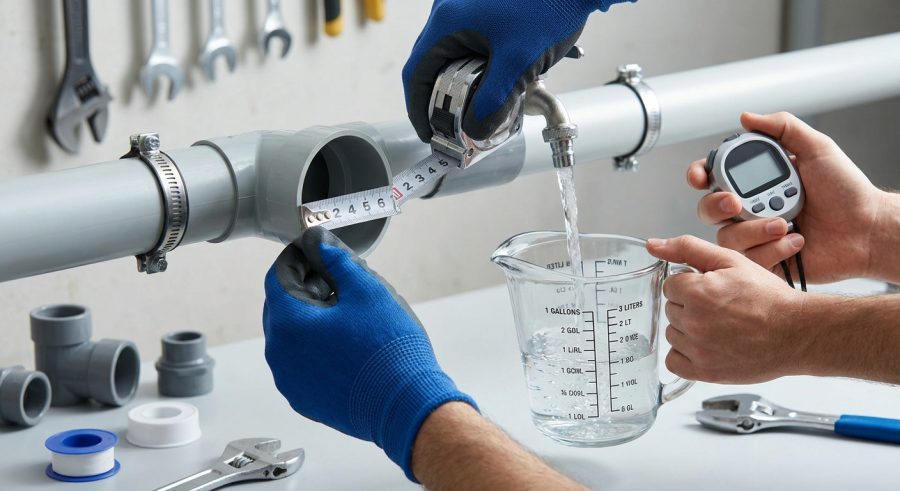
- Measure the pipe’s internal (bore) diameter, not its outer diameter, and enter that number in the Pipe Diameter field.
- Select the matching diameter unit: millimeters, centimeters, inches, feet, or meters.
- Enter the average fluid velocity moving through the pipe in the Flow Velocity field.
- Select the velocity unit: meters per second, feet per second, kilometers per hour, or miles per hour.
- Review the five results: flow rate in three units and cross-sectional area in two units.
- Adjust diameter or velocity to compare pipe sizes or test different flow scenarios.
Entering Diameter and Velocity Correctly
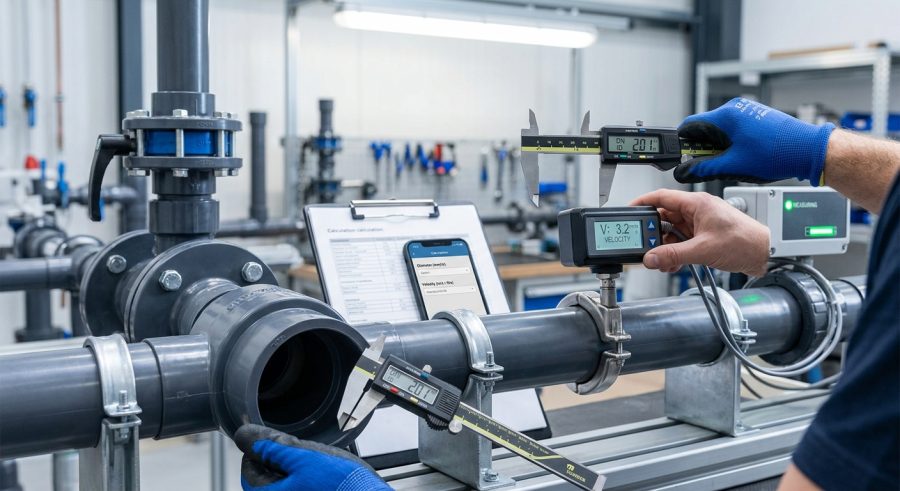
Pipe Diameter is the internal (bore) diameter of the pipe, not the outer diameter. Wall thickness reduces the usable flow area, so using the outer diameter will overstate your results.
Diameter Unit lets you enter the diameter in millimeters, centimeters, inches, feet, or meters. The calculator converts your entry to meters internally before running the formula.
Flow Velocity is the average speed of the fluid moving through the pipe. This is usually measured or estimated from a flow meter, pump curve, or design standard, not guessed.
Velocity Unit accepts meters per second, feet per second, kilometers per hour, or miles per hour, and is also converted to meters per second before calculation.
The Continuity Equation Behind the Numbers
The calculator uses the continuity equation for incompressible flow in a full pipe:
Q = A x V
where Q is volumetric flow rate, A is the pipe’s cross-sectional area, and V is average fluid velocity. The area of a circular pipe is found with:
A = (pi / 4) x D^2
where D is the internal diameter in meters and pi is approximately 3.14159265. Diameter and velocity entries are first multiplied by their unit conversion factors to bring them into meters and meters per second, since those are the base units the formula requires.
Once flow rate in cubic meters per second (m3/s) is known, the calculator applies fixed conversion factors: multiplying by 60,000 gives liters per minute, and multiplying by 15,850.3 gives US gallons per minute. For area, multiplying square meters by 1,550.0031 converts to square inches. These factors are standard unit conversions and do not change with pipe material or fluid type.
This equation assumes the pipe runs completely full, the fluid is incompressible, and velocity is uniform across the whole cross-section. It does not include friction losses, turbulence profiles, or pressure changes.
Sample Calculations Across Pipe Sizes
Example 1 — Standard 100 mm pipe. Given: diameter = 100 mm, velocity = 2 m/s. Formula: Q = (pi/4) x D^2 x V. Substitution: Q = 0.785398 x (0.1)^2 x 2. Calculation: Q = 0.785398 x 0.01 x 2 = 0.015708 m3/s. Final result: approximately 0.015708 m3/s, or 942.48 L/min, or 248.98 US gpm, with a cross-sectional area of 0.007854 m2 (12.17 in2).
Example 2 — 2-inch pipe, imperial units. Given: diameter = 2 in, velocity = 5 ft/s. Substitution: D = 2 x 0.0254 = 0.0508 m, V = 5 x 0.3048 = 1.524 m/s. Calculation: Area = 0.785398 x (0.0508)^2 = 0.002027 m2; Q = 0.002027 x 1.524 = 0.003089 m3/s. Final result: about 0.003089 m3/s, 185.34 L/min, or 48.96 US gpm, with an area of 3.14 in2.
Example 3 — 6-inch water main at 3 ft/s. Given: diameter = 6 in, velocity = 3 ft/s. Substitution: D = 0.1524 m, V = 0.9144 m/s. Calculation: Area = 0.785398 x (0.1524)^2 = 0.018242 m2; Q = 0.018242 x 0.9144 = 0.016680 m3/s. Final result: roughly 0.016680 m3/s, 1000.80 L/min, or 264.38 US gpm, with an area of 28.27 in2.
Example 4 — 500 mm industrial line. Given: diameter = 500 mm, velocity = 1.5 m/s. Substitution: D = 0.5 m. Calculation: Area = 0.785398 x (0.5)^2 = 0.196350 m2; Q = 0.196350 x 1.5 = 0.294524 m3/s. Final result: about 0.294524 m3/s, 17,671.46 L/min, or 4,668.30 US gpm, with an area of 304.34 in2.
Flow Rate by Common Pipe Diameters at 1 m/s
The table below shows cross-sectional area and flow rate for common pipe diameters at a fixed velocity of 1 meter per second. Use it to compare pipe sizes quickly; actual flow scales directly with whatever velocity you enter into the calculator.
| Diameter (mm) | Area (m2) | Flow at 1 m/s (L/min) | Flow at 1 m/s (US GPM) |
|---|---|---|---|
| 15 | 0.000177 | 10.60 | 2.80 |
| 20 | 0.000314 | 18.85 | 4.98 |
| 25 | 0.000491 | 29.45 | 7.78 |
| 50 | 0.001963 | 117.81 | 31.12 |
| 100 | 0.007854 | 471.24 | 124.49 |
| 150 | 0.017671 | 1060.29 | 280.11 |
| 200 | 0.031416 | 1884.96 | 498.02 |
| 300 | 0.070686 | 4241.15 | 1120.50 |
Reading the Five Output Values
The calculator produces two related sets of numbers. The primary output is volumetric flow rate, shown three ways: cubic meters per second (m3/s), liters per minute (L/min), and US gallons per minute (gpm). Pick whichever unit matches your project standard; plumbing and irrigation work often uses L/min or GPM, while engineering calculations often use m3/s.
The secondary output is cross-sectional area, shown in square meters and square inches. This tells you how much open space the fluid has to move through and is useful for comparing against pipe sizing charts or checking a manufacturer’s bore specification.
All results update instantly whenever you change diameter, velocity, or their units. Because flow rate is directly proportional to velocity and to the square of diameter, small diameter errors have a much larger effect on the result than small velocity errors.
What Changes Your Flow Rate Result
- Diameter accuracy — the calculator squares this value, so a 10 percent error in diameter creates roughly a 21 percent error in flow rate.
- Internal vs outer diameter — using outer diameter instead of bore diameter always overstates flow, since it ignores wall thickness.
- Velocity input source — flow rate scales directly with velocity, so an inaccurate or assumed velocity carries straight through to the result.
- Unit selection — picking the wrong diameter or velocity unit produces a completely different, incorrect answer even if the numeric entry is correct.
- Pipe fullness — the formula assumes the pipe runs completely full; a partially filled pipe has less usable area than the nominal diameter suggests.
- Fluid type — this calculator is built for incompressible liquids like water; compressible gases behave differently at high velocity and are not modeled here.
Avoiding Input and Unit Errors
- Using outer diameter instead of internal diameter — always measure or specify the bore diameter, since wall thickness reduces the flow area.
- Mismatching diameter and velocity units — double-check both unit dropdowns before reading results, since a mismatch produces a valid-looking but wrong answer.
- Confusing nominal pipe size with actual bore — nominal sizes like 2-inch pipe rarely match the true internal diameter exactly.
- Assuming the pipe is always full — partially filled pipes, common in gravity drainage, have less cross-sectional flow area than this calculator assumes.
- Ignoring friction and fitting losses — this tool reports theoretical flow from geometry and velocity alone, not real-world pressure drop.
- Entering an assumed velocity without measurement — because flow rate scales directly with velocity, a rough guess can produce a misleading result.
- Mixing up flow rate units when comparing specs — always confirm whether a target flow is stated in L/min, GPM, or m3/s before comparing it to your result.
What This Tool Does Not Account For
This calculator applies the basic continuity equation to a circular, fully filled pipe carrying an incompressible fluid at steady state. It does not calculate pressure drop, friction losses, pipe material effects, elevation changes, turbulence, or compressible gas behavior at high velocity. It also assumes a perfectly round cross-section, so oval, rectangular, or damaged pipes are not supported.
Results are estimates based on the inputs you provide and are only as accurate as your diameter and velocity measurements. Real installed systems, drainage slopes, and plumbing codes can vary by region and application. For drainage or gravity-fed systems, a drainage slope and invert level tool can help with the separate question of pipe fall. For any project involving structural, safety, or code-compliance decisions, consult a qualified engineer or licensed plumber rather than relying solely on this calculator.
Why Diameter Has an Outsized Effect on Flow
Flow rate depends on diameter squared, not on diameter directly. Doubling a pipe’s internal diameter while holding velocity constant quadruples the cross-sectional area, and therefore quadruples the flow rate. This is why upsizing a pipe even slightly can dramatically increase capacity, and why undersizing a pipe by a small amount can sharply restrict flow. When comparing two pipe options, it is often more effective to increase diameter than to try to increase velocity, since higher velocities can also increase friction losses and noise in real systems.
Inner Diameter vs Nominal Pipe Size
Nominal pipe sizes, such as a ‘2-inch pipe,’ describe a labeling convention rather than an exact measurement. The true internal diameter often differs from the nominal size because of manufacturing standards and wall thickness. For an accurate flow calculation, measure the actual bore diameter with calipers or check the manufacturer’s specification sheet rather than assuming the nominal size equals the internal diameter.
Choosing a Reasonable Design Velocity
Typical water distribution systems are often designed with velocities in a moderate range, commonly between about 1 and 3 meters per second (roughly 3 to 10 feet per second), to balance adequate flow against noise, erosion, and pressure loss. Suitable velocity depends on the fluid, pipe material, and application, and specific limits are usually set by applicable plumbing or engineering codes. This calculator lets you test any velocity value so you can compare scenarios, but it does not verify whether a chosen velocity meets a particular code or standard.
Pipe Flow Rate Questions Answered
How is pipe flow rate related to diameter and velocity?
Flow rate equals the pipe's cross-sectional area multiplied by the average fluid velocity. Since area depends on diameter squared, flow rate grows much faster than diameter itself as the pipe gets larger, assuming velocity stays the same.
Why does doubling pipe diameter quadruple flow capacity at constant velocity?
Cross-sectional area is proportional to diameter squared. Doubling the diameter multiplies the area by four, and since flow rate equals area times velocity, the flow rate also multiplies by four when velocity does not change.
What is a typical safe flow velocity for water pipes?
Many water systems target velocities roughly between 1 and 3 meters per second, though the right value depends on pipe material, fluid, and local plumbing codes. This calculator accepts any velocity you enter but does not check it against a specific code.
How do I convert flow rate between GPM, LPM, and m3/s?
The calculator does this automatically. It computes flow rate in cubic meters per second first, then multiplies by 60,000 for liters per minute and by 15,850.3 for US gallons per minute, so all three units are shown at once.
Does this calculator account for friction loss or pipe material?
No. It applies only the basic continuity equation, Q equals area times velocity, based on diameter and velocity. Friction losses, pipe roughness, fittings, and material are not included and require a separate hydraulic analysis.
How does inner diameter differ from nominal pipe size?
Nominal pipe size is a labeling convention and often does not equal the pipe's true internal diameter. Wall thickness reduces the actual bore, so for accurate results you should measure or look up the real internal diameter rather than using the nominal size.
Can this calculator be used for gases or only liquids?
It is built for incompressible liquids like water under steady, fully filled flow conditions. Gases can compress and behave differently, especially at higher velocities, so this tool is not intended for accurate gas flow calculations.
Why do my results change so much when I switch units?
If you change a unit dropdown without adjusting the numeric value, you are describing a physically different diameter or velocity, which changes the result. Always confirm both the number and its matching unit before reading the output.
Putting Flow Numbers to Work
Finding a pipe’s flow rate from its diameter and velocity comes down to one relationship: flow equals area times speed. This calculator handles the unit conversions and math instantly, giving you flow rate in three common units plus cross-sectional area for sizing checks. Use it for planning and comparison, and pair it with professional guidance whenever a project involves code compliance, safety, or structural decisions.
